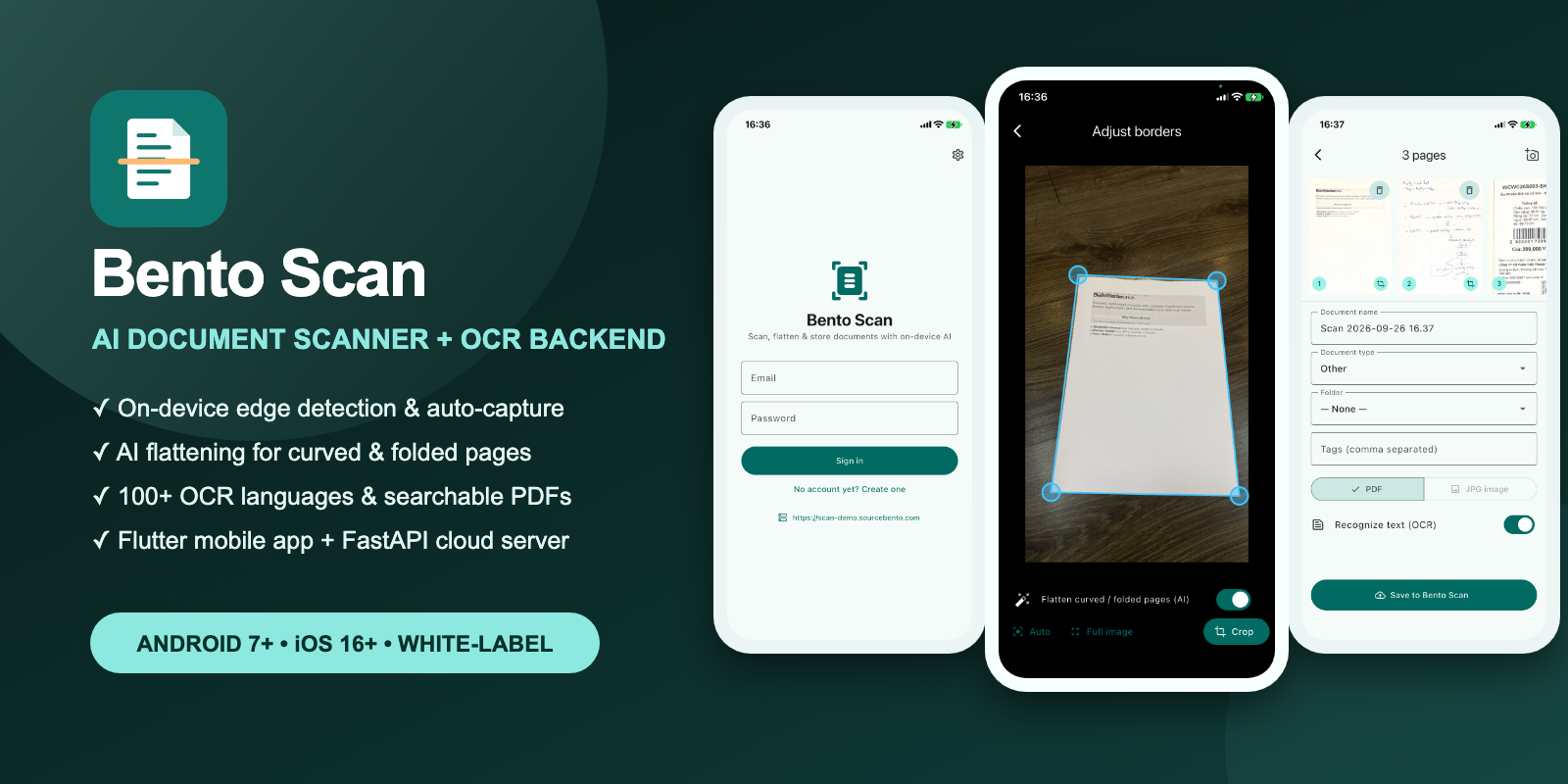
Document scanning looks simple until a real camera meets a curled receipt, a folded contract, uneven light, a busy desk, or a page photographed at an angle. The easy version crops a rectangle. The useful version has to find the page, correct perspective, flatten deformation, clean the image, keep multiple pages organized, extract text, and produce a PDF people can search.
Bento Scan packages that complete workflow into source code you can ship under your own brand. The buyer gets the Android and iOS application, the API and OCR worker, the web dashboard, deployment configuration, tests, models, and documentation.
The product boundary: private by default
Live edge detection, auto-capture, crop adjustment, perspective correction, page flattening, filters, rotation, and PDF assembly run on the phone. The app does not need Google Play Services for its core scanning pipeline.
Cloud features are self-hosted. The backend runs with Docker and stores files in any S3-compatible service, including Cloudflare R2, AWS S3, Backblaze B2, Wasabi, DigitalOcean Spaces, or MinIO. Buyers control the domain, database, storage bucket, retention rules, and operating costs.
Flutter 3.47 and Dart 3.13 for Android and iOS; ONNX Runtime for on-device inference; FastAPI, PostgreSQL, and a background worker for the server; PaddleOCR for 100+ OCR languages; Docker Compose and Caddy for deployment.
From camera frame to searchable PDF
1. Find the document on-device
A fine-tuned DocAligner model estimates the four document corners directly on the phone. The camera experience can automatically capture a stable page or let the user take control. A crop editor with a magnifier makes the corners easy to correct.
2. Correct perspective and page shape
Perspective correction turns the detected quadrilateral into a flat rectangle. For curved, folded, or crumpled pages, the optional UVDoc stage predicts a deformation grid and flattens the page before enhancement.
3. Review before upload
Users can choose color, grayscale, black-and-white, or original output; rotate pages; reorder a multi-page scan; export a local PDF; or save the document to the cloud library with a folder, tags, and a document type.
4. OCR and index on your server
The worker recognizes text in more than 100 languages, stores extracted text for full-text search, and generates a searchable PDF. The app exposes the OCR text for copying and lets users request recognition again in another language.
What the source package includes
- Complete readable Flutter source for Android 7+ and iOS 16+.
- FastAPI server, OCR worker, web dashboard, PostgreSQL schema, and REST API.
- Bundled on-device ONNX models with third-party license notices.
- Docker Compose deployment with automatic HTTPS and S3-compatible storage.
- English and Vietnamese localization, light and dark themes, and account deletion.
- A white-label guide covering the name, bundle identifiers, icon, colors, and API URL.
- Unit, widget, model-parity, and API contract tests.
- Generated HTML documentation plus deployment, storage, API, and AI-pipeline guides.
Try both mobile builds in the browser
The hosted previews run real application builds in Appetize. Camera behavior is naturally limited by the browser-hosted device, but the apps, navigation, authentication flow, settings, and cloud experience are available to inspect.
Built for customization, not dependency
Bento Scan is intended for teams building document workflows, field-data products, expense tools, archives, education apps, compliance systems, or vertical SaaS products. It is not a hosted subscription and it does not hide the important parts behind a remote license check. Buyers can inspect, modify, build, and deploy the code for a licensed production project.
Ship your scanner without starting from zero.
Get the complete mobile app, backend, OCR pipeline, deployment files, tests, and documentation for a one-time purchase.